


Use the kadenze.com model of learning
Now you have identified who may purchase your course and why, it’s time to begin mapping out your syllabus, sessions and learning pathways.
We know that the process of creating a Micro-course is never completely linear, so, as you work through this chapter, you may find yourself moving between Steps Two, Three and Four and back again!
Our unique approach to arts and design education online
Creative learning in our Micro-courses results from rich interactions and experiential engagement. That means your learning pathways will be informed by our distinctive Technology Enabled Creative Learning (TECL) SM framework. It is built upon educational research and our extensive practice as arts and design educators in face to face and online settings.
First, review our TECL guide to understand the dynamics of arts and design education online
Learning pathways
Once you’ve read the TECL guide and discussed your course with the Kadenze team, it’s time to map your learning pathways. You can see an example of a learning pathway made up of a sequence of Instructional Activities on page 16 of the TECL guide.
The kadenze.com digital infrastructure offers functionality that supports Technology Enabled Creative Learning and makes it easy for you and your students to share media-rich content and support creative learning processes.
Your Micro-course will be hosted on kadenze.com and available to the world 24 hours a day. You will build your course in our very own Learning Management System (LMS) called Kannu, which incorporates the capabilities and features we require as creative educators. The following video will introduce you to Kannu and its key features; features you can incorporate and use in the design of your Micro-course with us.
WATCH: Kannu – LMS Reimagined
Utilise the interactive functionality
Make the most of interactive functions in your Micro-course by using the Forum, Student Portfolio, Gallery as well as Surveys, Quizzes, Coursework/Assignments and other features. In particular:
- The Forum offers opportunities for you to set discussion topics and invite students to share ideas (including found or research items or creative work-in-progress) with threaded discussion.
- The Gallery gives you the chance:
- to ask students to post finished creative work or projects from a session or coursework to a gallery page where students in the course can view and comment on each other’s work.
- to promote online the students’ creative work from your Micro-course.
- The Student Portfolio enables students to save their best creative efforts from your course and any others they take on the platform to their personal portfolio which they can access (even after the course is completed) and use to present their achievements in interviews for further study or for career opportunities.
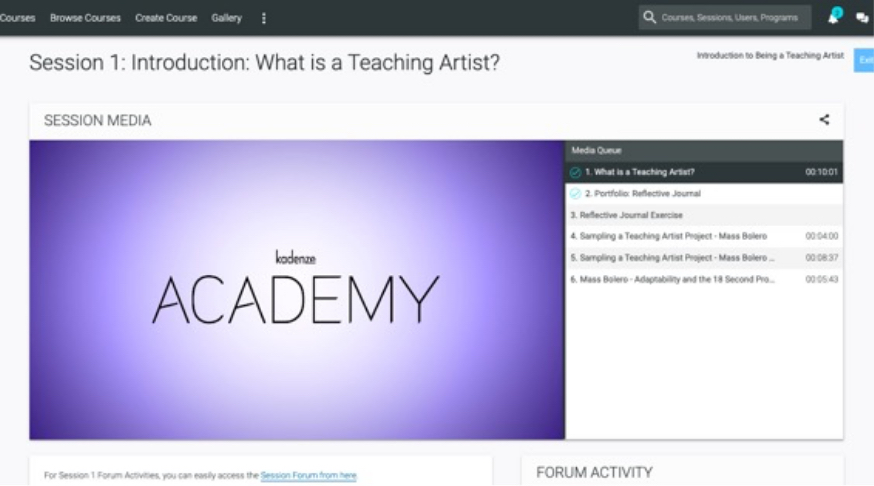
Just before you begin to choreograph your own learning pathways it will be helpful for you to know that each learning pathway is laid out as a session and the lessons presented as a media playlist on the kadenze.com site. See the image here. The playlist (to the right of the video player) is a linear sequence of lessons or Instructional Activities which specify what the students will do.
Map your learning pathways
The next step is to create your own learning pathways (and media playlists) for the sessions of your course. To guide you through this process we have created a template (as a slide deck) called “The Learning Pathway Builder”.
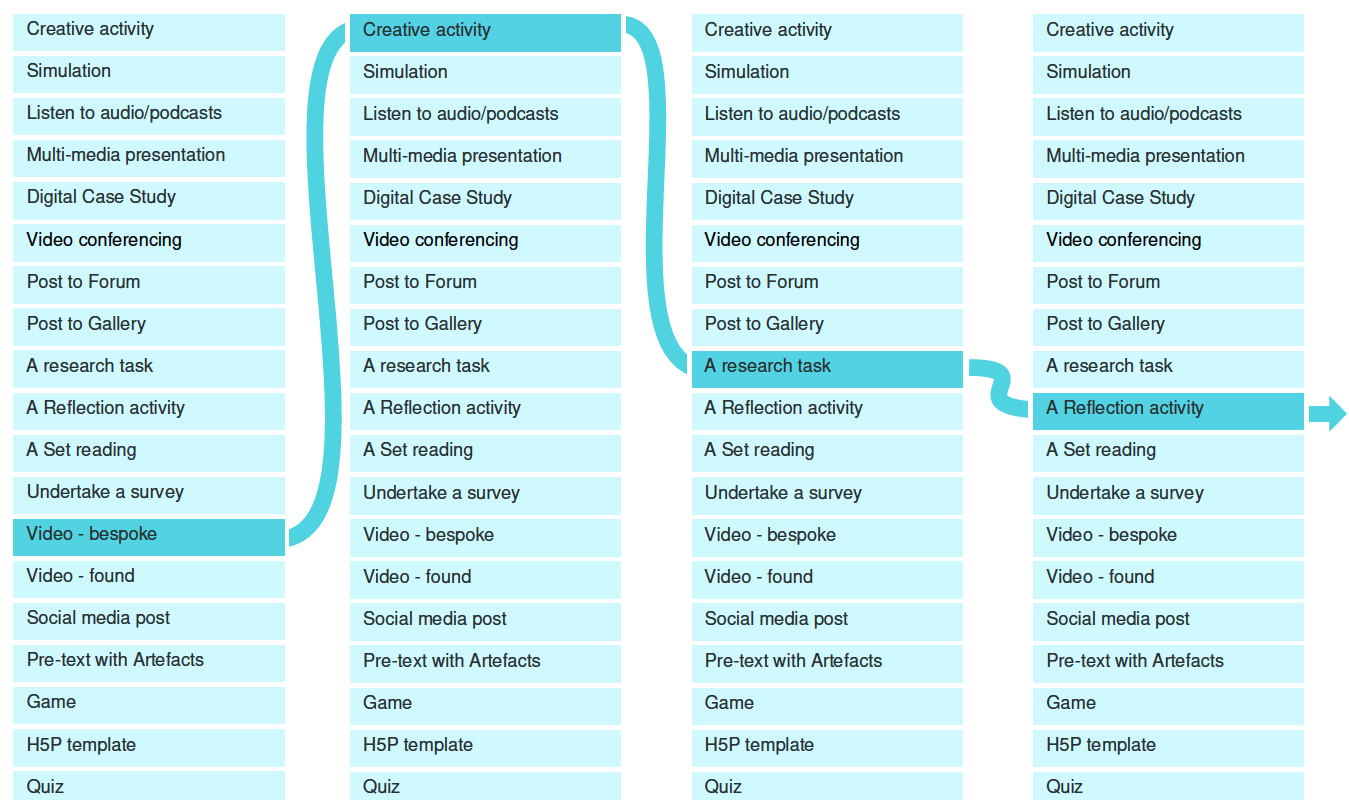
Download the Learning Pathway Builder
- Make a copy of the slides
- Arrange the instructional activities for each session in the order that you believe will gain students’ attention and engagement and makes sense sequentially. As you draft your sessions and lessons, you can expect to move things around as you play with creating the most engaging learning pathways.
- Review – After you have drafted the learning pathways for your course, our Educational Advisory Group will offer guidance and feedback about the volume and scope of content you have included and the clarity of your learning design.